Reasoning
Reasoning is the next step of CoT (Chain of Thought), naturally used to describe the logical steps generated by the model before reaching a conclusion. Reasoning strengthens this characteristic by going through training steps that encourage the model to generate chains of thought freely before producing the final answer. This allows models to explore the problem more profoundly and ultimately reach a better solution to the best of their ability by using extra compute time to generate more tokens and improve the answer—also described as Test Time Computation.
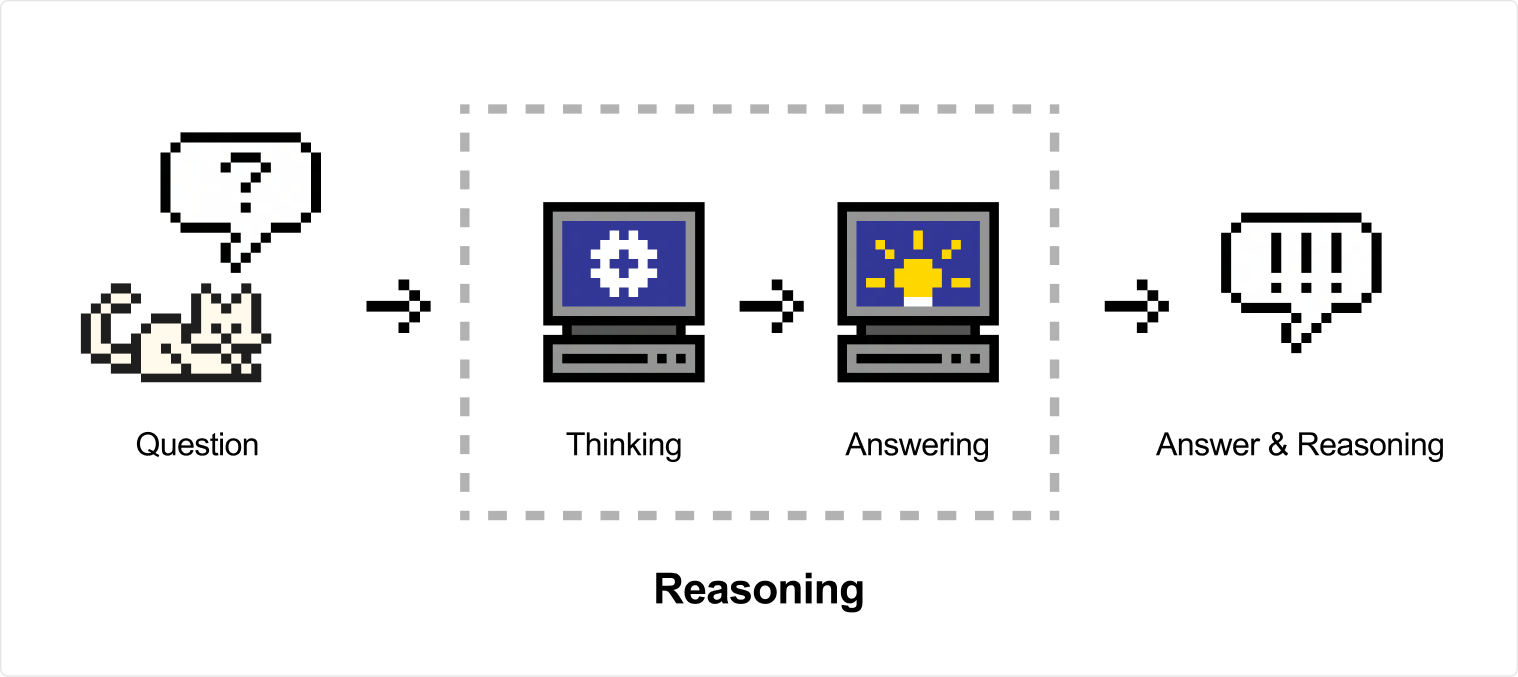
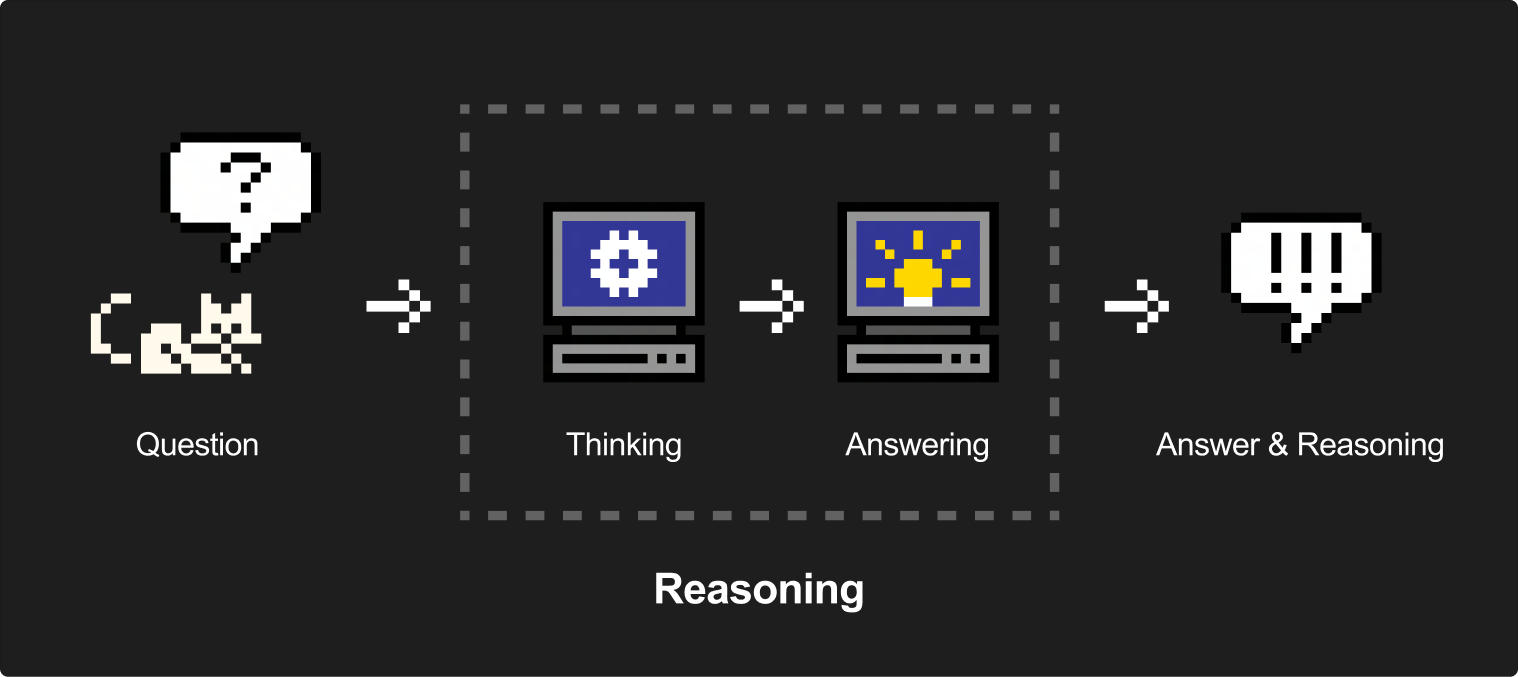
They excel at complex use cases like math and coding tasks, but can be used in a wide range of scenarios to solve diverse problems. The output of reasoning models includes a reasoning chunk with the model's thinking traces, followed by the final answer.
Earlier Magistral models with native reasoning have been deprecated. See Native reasoning (deprecated).
Before continuing, we recommend reading the Chat Completions documentation to learn more about the chat completions API and how to use it before proceeding.
Before you start
Before you start
Model
- Mistral Small 4 (
mistral-small-2603): Supports adjustable reasoning via thereasoning_effortparameter. No extra configuration required — just add the parameter to any chat completion request. - Mistral Medium 3.5 (
mistral-medium-3-5): Supports adjustable reasoning via thereasoning_effortparameter. For agentic and code use cases,reasoning_effort="high"is recommended. - Mistral Large 4 (
mistral-large-4-0): Supportslow,medium, andhighreasoning effort. We recommendreasoning_effort="high"for the best quality (see Mistral Large 4 reasoning effort). zai-glm-5-3: Supports adjustable reasoning via thereasoning_effortparameter. Supported values arelow,high, andmax(see note below).
The reasoning_effort parameter controls how much compute the model spends reasoning. Supported values and how reasoning is surfaced in the output depend on the model. For mistral-small-2603 and mistral-medium-3-5:
reasoning_effort = "high": The response includes a full thinking chunk before the final answer, at the cost of increased token usage.reasoning_effort = "none": The model thinks minimally and the thinking chunk is omitted from the response.
zai-glm-5-3 supports low, high, and max — not none. Unlike the none mode on Mistral Small and Mistral Medium, message.content is always returned as a list of chunks (thinking + text) regardless of the reasoning_effort value; there is no plain-string mode. The response shape follows the same chunk-list pattern described in Handling thinking chunks.
reasoning_effort is also available on the Agents and Conversations endpoints via the API, inside the completion_args field.
Mistral Large 4 reasoning effort
Mistral Large 4 reasoning effort
Mistral Large 4 (mistral-large-4 / mistral-large-4-0) supports three reasoning levels:
reasoning_effort | When to use it |
|---|---|
low | Minimize reasoning compute for simpler tasks. |
medium | Balance reasoning quality with token usage and latency. |
high | Use the most reasoning compute for complex tasks. Recommended default for the best quality. |
Set reasoning_effort="high" explicitly as your starting point, then consider medium or low when token usage or latency is more important. See the model card for Python, TypeScript, and curl examples.
This ladder applies only to Mistral Large 4, not to all Mistral models. Mistral Large 4 does not accept none, minimal, xhigh, or max; these are not aliases for its supported levels. The API-wide enum and SDKs include values used by other models, so a value appearing in the enum does not mean every model accepts it. In particular, zai-glm-5-3 continues to support low, high, and max.
Migrating from Mistral Large 4 Preview's previous none / high naming? Use low for the level previously called none. high is unchanged. You can also use the new medium effort to balance quality, token usage, and latency for everyday tasks.
Usage
Usage
Reasoning with chat completions
Reasoning with chat completions
Here is an example via our chat completions endpoint:
import os
from mistralai.client import Mistral

api_key = os.environ["MISTRAL_API_KEY"]
model = "mistral-small-2603"

client = Mistral(api_key=api_key)

chat_response = client.chat.complete(
    model = model,
    messages = [
        {
            "role": "user",
            "content": "John is one of 4 children. The first sister is 4 years old. Next year, the second sister will be twice as old as the first sister. The third sister is two years older than the second sister. The third sister is half the age of her older brother. How old is John?",
        },
    ],
    reasoning_effort="high"
)Handling thinking chunks
Handling thinking chunks
When reasoning_effort is set to "high", the response message.content is a list of chunks instead of a plain string. Two chunk types appear:
ThinkChunk(type: "thinking"): contains the model's reasoning trace. Thethinkingfield is itself a list ofTextChunkobjects.TextChunk(type: "text"): contains the final answer.
When reasoning_effort is "none", message.content is a plain str with no thinking trace.
Parsing the response
Parsing the response
from mistralai.client.models import TextChunk, ThinkChunk

# Assuming chat_response from the example above
content = chat_response.choices[0].message.content

# reasoning_effort="none" returns a plain string
if isinstance(content, str):
    print(content)
else:
    for chunk in content:
        if isinstance(chunk, ThinkChunk):
            print("--- thinking ---")
            for inner in chunk.thinking:
                if isinstance(inner, TextChunk):
                    print(inner.text)
            print("--- /thinking ---")
        elif isinstance(chunk, TextChunk):
print(chunk.text)Streaming
Streaming
When streaming, delta.content changes shape during the response:
- Thinking phase:
delta.contentis a list containing aThinkChunk - Transition: a single list containing both a closing
ThinkChunkand the firstTextChunk - Answer phase:
delta.contentis a plain string
import os
from mistralai.client import Mistral
from mistralai.client.models import TextChunk, ThinkChunk

client = Mistral(api_key=os.environ["MISTRAL_API_KEY"])

in_thinking = False

for event in client.chat.stream(
    model="mistral-large-4-0",
    messages=[{"role": "user", "content": "What is 17 * 23?"}],
    reasoning_effort="high",
):
    delta = event.data.choices[0].delta.content
    if not delta:
        continue

    # After thinking ends, delta is a plain string
    if isinstance(delta, str):
        if in_thinking:
            print("\n--- /thinking ---")
            in_thinking = False
        print(delta, end="", flush=True)
        continue

    # During thinking, delta is a list of chunks
    for chunk in delta:
        if isinstance(chunk, ThinkChunk):
            if not in_thinking:
                print("--- thinking ---")
                in_thinking = True
            for inner in chunk.thinking:
                if isinstance(inner, TextChunk):
                    print(inner.text, end="", flush=True)
        elif isinstance(chunk, TextChunk):
            if in_thinking:
                print("\n--- /thinking ---")
                in_thinking = False
print(chunk.text, end="", flush=True)Multi-turn conversations
Multi-turn conversations
When building multi-turn conversations with reasoning, always replay the full assistant message (including ThinkChunk) back into the message history. Dropping the reasoning trace across turns degrades model performance.
from mistralai.client import Mistral
from mistralai.client.models import TextChunk, ThinkChunk, UserMessage

client = Mistral(api_key="your-api-key", timeout_ms=300_000)

messages = []

for user_text in ["What is 17 * 23?", "Now multiply that by 3."]:
    messages.append(UserMessage(content=user_text))

    response = client.chat.complete(
        model="mistral-large-4-0",
        messages=messages,
        reasoning_effort="high",
    )

    assistant_message = response.choices[0].message

    # Print only the final answer (for display purposes)
    content = assistant_message.content
    if isinstance(content, str):
        print(content)
    else:
        answer = "".join(
            c.text for c in (content or []) if isinstance(c, TextChunk)
        )
        print(answer)

    # IMPORTANT: append the full assistant message to history.
    # This preserves ThinkChunk so the model can see its own
    # reasoning trace in subsequent turns.
    # Do NOT rebuild the message with only the answer text.
messages.append(assistant_message)Do not strip ThinkChunk from assistant messages before replaying them. The model relies on the reasoning trace to maintain coherence across turns. Stripping them increases token efficiency but significantly degrades output quality.